
What Is CRI Lighting and Why Does It Matter for Workplace Wellbeing
Updated: Jul 30
CRI stands for Color Rendering Index which is a measure of how accurately a light source renders color compared to natural daylight, on a scale of 0 to 100. In a pod, unlike an open office, there's no window to move toward and no alternative light source to compensate with. The quality of the built-in lighting is the full story. Get it right and the pod becomes a place people want to work. Get it wrong and it quietly exhausts them.
CRI is one of five lighting factors that together determine whether a pod supports the people inside it. This piece covers all five: CRI, color temperature, flicker, lux, and anti-glare. For each: what it is, why it matters in an enclosed workspace specifically, and what good looks like.
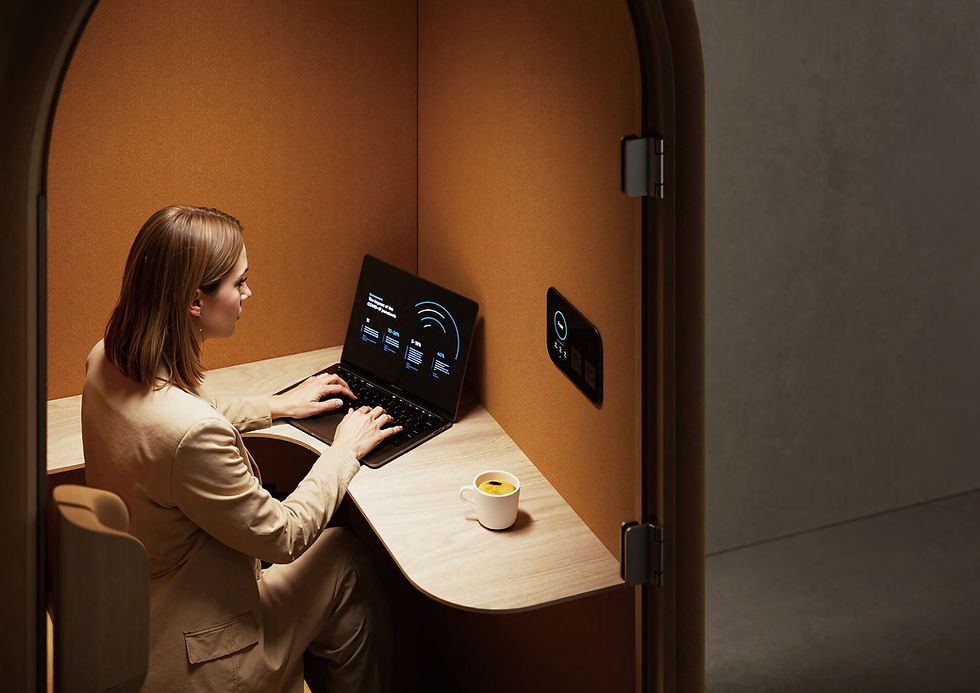
CRI: Color Accuracy and Why It Tires the Eye
At CRI 80, the standard for general commercial lighting, colors are recognizable but subtly off. Skin tones look flat. Greens shift toward yellow. The visual scene loses the depth and contrast that natural light provides. The brain registers these discrepancies and compensates for them. Not enough to notice, but enough to accumulate.
At CRI 90 and above, color rendering is high fidelity. Objects appear as they would in natural light, the visual system relaxes, and the strain of long sessions under artificial light drops measurably. The WELL Building Standard, the leading framework for human-centered workspace design, recommends CRI 90 or above for regularly occupied spaces for this reason. Our Aura office pod series reaches CRI 92 via OSRAM LEDs, the highest in the Alcove lineup, which is why it is the series built specifically for extended work sessions.
The implication for pods: a CRI 80 space used for a 30-minute call is unremarkable. The same space used as a primary workspace for two or three hours becomes a daily source of low-grade visual fatigue which is difficult to trace, easy to feel by mid-afternoon.
Color Temperature: Light That Moves With the Day
Color temperature is measured in Kelvin. Lower values produce warm, amber-toned light. Higher values produce cool, blue-white light closer to daylight.
2700–3000K: warm, relaxing, suited to decompression and end-of-day recovery
4000K: neutral, balanced, all-purpose, optimal for neither focus nor recovery
5000K–6500K: cool, daylight-like, suited to sustained focus and detail work
The biology matters here. Cooler, blue-spectrum light suppresses melatonin and raises alertness — useful for a morning focus session, counterproductive late in the afternoon. Warmer light does the opposite, supporting the natural wind-down that precedes rest.
A fixed color temperature is a permanent compromise. For a pod used across different tasks and different points in the day, adjustable color temperature means the space adapts to the person rather than requiring the person to adapt to the space. Aura covers the full range from 3000K to 6000K. The Arc series takes a different approach: its touchscreen scene modes — Phone, Work, and Relax — set the lighting character for the purpose at hand, which suits its role as a lighter-use and decompression space.
Flicker: The Cause of Headaches Nobody Can Explain
Most LED systems dim through pulse-width modulation; rapidly cycling on and off to simulate lower output. At high frequencies this is invisible to conscious perception. It is not imperceptible to the visual system, which still registers the cycling as stress.
Research estimates that 10 to 30 percent of people have measurable sensitivity to light flicker. For them, high-flicker lighting in an enclosed workspace is a reliable headache source. The problem is traceability: end-of-day headaches get attributed to screen time, dehydration, or stress. Rarely to the light source a few feet above.
IEEE 1789-2015 sets the engineering standard for safe flicker thresholds. Flicker-free LEDs eliminate the issue by operating on DC current or high-frequency AC. It is a specification worth checking explicitly. PWM dimming is common in lower-cost LED systems and is rarely disclosed in marketing materials.
Lux: Enough Light to Actually Work By
Lux measures the quantity of light reaching a surface. Where CRI measures quality, lux measures volume. Both matter independently.
The Illuminating Engineering Society recommends 300 to 500 lux at desktop level for sustained office tasks. Below 300 lux, the eye works harder to resolve contrast; pupils dilate, blink rate changes, and the visual system accumulates fatigue faster. People instinctively compensate by leaning toward screens, tilting displays, or increasing brightness. Each adjustment is a small ergonomic cost that compounds across a full day.
Several pods are lit for ambience rather than task work: fine for a call, insufficient for two hours of focused work. The right specification to request is desktop lux. Total lumen output tells you nothing useful about how much light actually reaches the work surface.
Anti-Glare: The Specification Most People Overlook
Glare is not about brightness. A dim light with a concentrated point source causes more glare than a bright light with proper diffusion. Glare occurs when luminance contrast between a light source and its surroundings exceeds what the eye can resolve comfortably.
Two factors make pods higher-glare environments than open offices: the ceiling is lower, bringing light sources closer to eye level, and every reflective surface — glass panels, screens, desk surfaces — is within arm's reach. The result is both, direct glare from the fixture and reflected glare off the screen.
Reflected glare rarely registers consciously. What registers is the urge to tilt the screen, shift in the seat, or increase display brightness to overpower the reflection. These are small postural adjustments. Across a full day they add up to something felt in the shoulders and neck, not attributed to lighting.
Anti-glare lensing diffuses light evenly across the pod interior, eliminating hotspots and the reflections they generate. It is the hardest specification to find in a product brochure and one of the most consequential for how people feel after extended time inside.
What Good Office Pod Lighting Actually Looks Like
Taken together, the five specifications form a clear picture of what a lighting system needs to do. The table below summarizes each factor, the evidence-based standard, and what that means in practice.
Specification | What it measures | Recommended standard | What to look for |
CRI | Color accuracy vs. natural daylight (0–100 scale) | CRI 90+ (WELL Building Standard) | CRI 90 minimum; CRI 92+ for extended-use workspaces |
Color temperature | Warmth or coolness of light, in Kelvin | Adjustable 3000K–6000K | Fixed temperature is a compromise; adjustable range covers focus, calls, and decompression |
Flicker | Rapid light cycling that strains the visual system | Flicker-free (IEEE 1789-2015) | Look for explicit flicker-free specification; PWM dimming is a red flag |
Lux | Quantity of light at desktop level | 300–500 lux at desktop (IES) | Confirm desktop lux, not just total lumen output |
Anti-glare | Diffusion of light to eliminate hotspots and reflections | Anti-glare diffused lensing | Check for diffused lensing; avoid direct-source point lights in small interiors |
When all five are working together, the lighting in a pod does something most artificial environments fail to do: it stops being noticeable. People are not aware of good lighting. They are just not tired, not squinting, not reaching for ibuprofen at 3pm. That absence of friction is what a well-lit pod produces.
For anyone specifying pods as wellbeing or focus spaces: acoustic separation protects people from the noise outside. Lighting determines what happens to them on the inside. Both are part of the same brief.
Frequently Asked Questions
What is a good CRI rating for office lighting?
CRI 90 or above is the recommended minimum for workspaces where people spend significant time. The WELL Building Standard specifies CRI 90+ for regularly occupied spaces. CRI 80 is acceptable for corridors and common areas, but falls short for sustained task work in enclosed spaces like pods.
What color temperature is best for focus work in an office pod?
5000K to 6500K, the cooler, daylight range, supports alertness and concentration. For decompression or end-of-day use, 2700K to 3000K warm light is more appropriate. The best pods offer adjustable color temperature across the full range so the light can match the task rather than being fixed at a compromise.
Can LED flicker cause headaches?
Yes. Flicker caused by pulse-width modulation (PWM) dimming is associated with headaches and eye strain, particularly in the 10 to 30 percent of people with measurable flicker sensitivity. IEEE 1789-2015 sets the engineering standard for safe flicker levels. Flicker-free LEDs eliminate the risk entirely.
What lux level is recommended for office work?
The Illuminating Engineering Society (IES) recommends 300 to 500 lux at desktop level for sustained office tasks. When evaluating a pod, ask for desktop lux specifically as total lumen output does not tell you how much light reaches the work surface.
What is anti-glare lighting and why does it matter in a pod?
Anti-glare lighting uses diffused lensing to distribute light evenly without concentrated hotspots. In a pod, light sources are closer to eye level and reflective surfaces are closer to the user than in an open office, increasing glare risk. Anti-glare lensing reduces direct and reflected glare, removing a source of fatigue that is rarely identified but regularly felt.
What CRI does the Aura series use?
Aura pods use OSRAM LED lighting at CRI 92, which is among the highest available in commercially produced office pods. The lighting system is flicker-free, adjustable from 3000K to 6000K, and delivers more than 300 lux at desktop level with anti-glare lensing. It is designed for extended work sessions where lighting quality has a cumulative effect on the person inside.
Alcove Pods. Great office pods. Honest price.


